Member Portals
Private accessmembers will actually use.
Login, resources, and the editing workflow that keeps a private space current. Start with what members and staff need. Grow only when the value is clear.
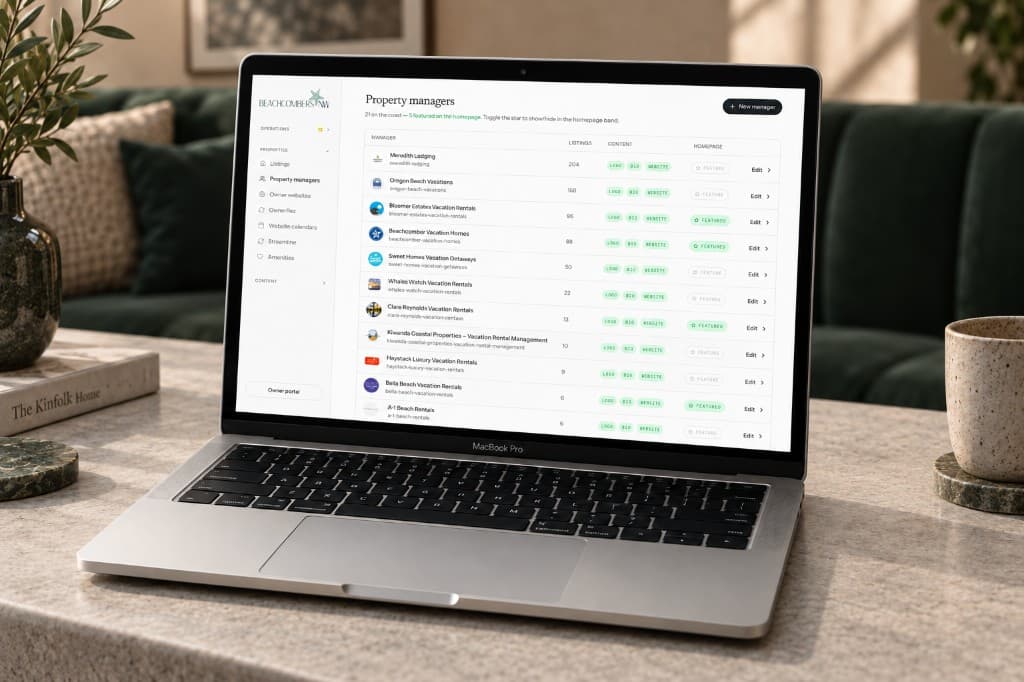
Useful beats complicated.
A portal should start with the workflows members and staff actually need, then grow only when the value is clear.
Why custom
One private place
Renewals, files, and listing updates live together, built around the members who use them.
Access set for each role
Who can log in, and what they can see, is decided before the build and changes when a role changes.
Staff keep it current
Documents, reports, and updates stay with the people who already run them.
Who sees what.
Who can log in, what they can see, and how staff keep it current are settled before the build.
Who can log in
Most association portals work well with a magic link or single sign-on. We recommend the simplest option that meets the security requirement.
- Magic link, by email, with no password
- Single sign-on through the AMS
- Google or Microsoft
Our process
Each one is settled before the build, from the workflows members and staff already have.
Member access model
We define who can log in, what they can see, and how access changes as members, clients, or staff roles change.
Member resources and content
Documents, reports, links, updates, and private content get organized around the user, not the org chart.
Member and staff dashboards
We can surface project status, analytics, milestones, and operational signals when members or clients need a clearer view.
Admin and editorial workflow
A portal is only useful if staff can keep it current. We plan the editing and support model before the first line of code.
Portal FAQs
Cost, the AMS, and how members log in. If yours is not here, bring it to the call.
What does member portal development cost?
A custom member portal starts at $15,000. The price goes up with the number of user roles, content types, integrations, and how involved the workflows are. Replacing a spreadsheet is a smaller build than connecting your membership system and giving each member their own dashboard.
Can a member portal connect to our existing AMS?
Yes, in most cases. The integration approach depends on which AMS you use and what data needs to surface in the portal. We map the data flow and access model before any code is written to avoid scope creep later.
How do members log into the portal?
Login options typically include magic link (email-based, no password), SSO via the AMS, or OAuth through Google or Microsoft. We recommend the simplest option that meets your security requirements. Most association portals work well with magic link or SSO.
Need a portal your staff can keep current?
A custom portal puts renewals, files, and listing updates in one private place built around your members.